Asset Management
Track every company asset from issue to return
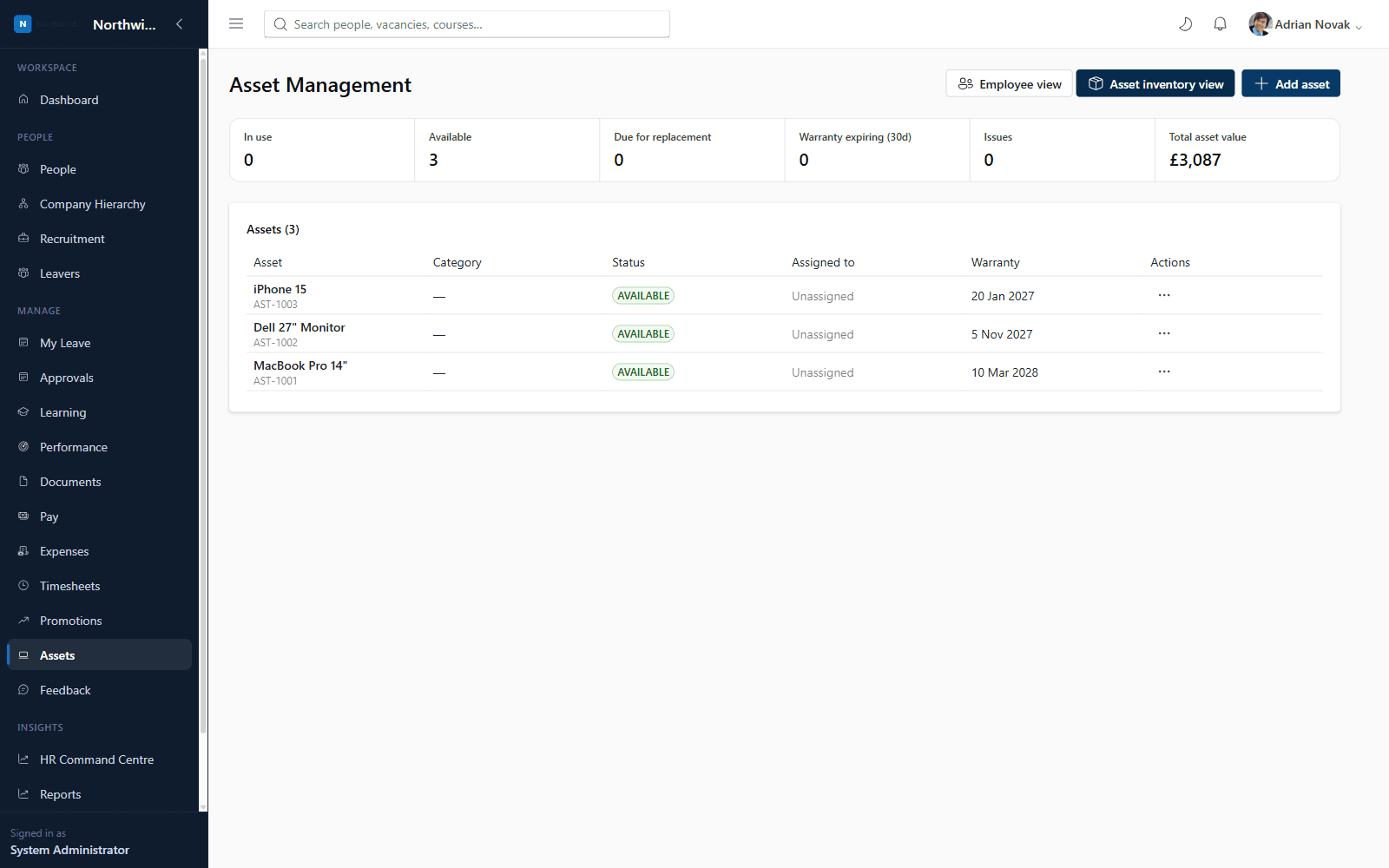
Track every company-issued asset — laptops, phones, security passes, vehicles and more — through its full lifecycle. Configurable asset categories, a complete asset register per employee, and a dedicated dashboard covering utilisation, warranty expiry and outstanding returns.
What you'll see inside
- 1
Highlight 1
Unlimited configurable asset categories — laptops, phones, security passes, vehicles, PPE and more
- 2
Highlight 2
Full asset register: serial number, purchase cost, warranty, supplier, condition and location
- 3
Highlight 3
Assign, transfer, record returns, mark damaged/lost or retire assets — every action is audited
- 4
Highlight 4
A dedicated Assets tab on every Employee Profile showing current and historical assets
Why it matters
Benefits
- Unlimited configurable asset categories — laptops, phones, security passes, vehicles, PPE and more
- Full asset register: serial number, purchase cost, warranty, supplier, condition and location
- Assign, transfer, record returns, mark damaged/lost or retire assets — every action is audited
- A dedicated Assets tab on every Employee Profile showing current and historical assets
- Offboarding is blocked from completing until every outstanding asset is returned
Business value
- Eliminates lost or unreturned equipment during offboarding
- Gives Finance a clear, up-to-date asset register and replacement forecast
Removes manual spreadsheet tracking of company equipment and closes the loop automatically during offboarding.
Who it's for
- IT teams
- Operations
- HR Administrators
- Line Managers
Use cases
- IT assigning a laptop to a new starter and tracking its warranty expiry
- HR reviewing an employee's full asset history before a leaver process completes
- Operations reporting on total asset cost and utilisation by department
Roles & permissions
- System Administrator
- HR Administrator
- IT/Operations
- Line Manager
- assets.view.own
- assets.view.team
- assets.manage
- assets.reports.view
Dashboards
- Assets in use / available / damaged / lost
- Warranty expiring
- Total asset cost
Workflows
- Assign
- Transfer
- Return
- Mark damaged/lost
- Retire
- Replace
Configuration options
- Unlimited custom asset categories
Reports
- Asset register
- Asset history
- Warranty expiry
- Replacement forecast
- Outstanding returns
- Department asset allocation
Frequently asked questions
See it running on your own organisation structure
Book a live walkthrough with our team, or start a free trial and explore Core HR today.