One Core HR foundation. Every module builds on it.
Every Axel Henry customer starts here: a single source of truth for employee data, hierarchy, leave, documents and permissions — with every add-on module plugging directly in.
The Core HR Platform
Employee Management
A single, secure record for every employee — personal details, employment history, right-to-work, emergency contacts and more.
Employee Dashboard
A personalised home screen for every employee showing leave balances, learning due, reviews due, announcements and their reporting line.
Leave Management
Configurable leave types and policies, self-service booking, manager approvals and a full request history.
Company Hierarchy
An interactive, always up-to-date organisation chart driven directly by real reporting lines.
Documents
Secure, versioned document storage against every employee record, with global search and expiry tracking.
Company News
Company-wide announcements surfaced automatically on every employee's dashboard.
Self Service
Employees can update personal details, book leave, view documents and track their own learning and performance.
Standard Reporting
Out-of-the-box headcount, leave, recruitment and learning dashboards for every tenant.
Security
Role-based access control, audit logging and configurable password/session policies as standard.
Permissions
A fully configurable permission catalogue — build bespoke roles for any scope: self, team, business unit or company-wide.
Organisation Management
Configure departments, job titles, office locations, employment types, cost centres and business units.
Employee Management
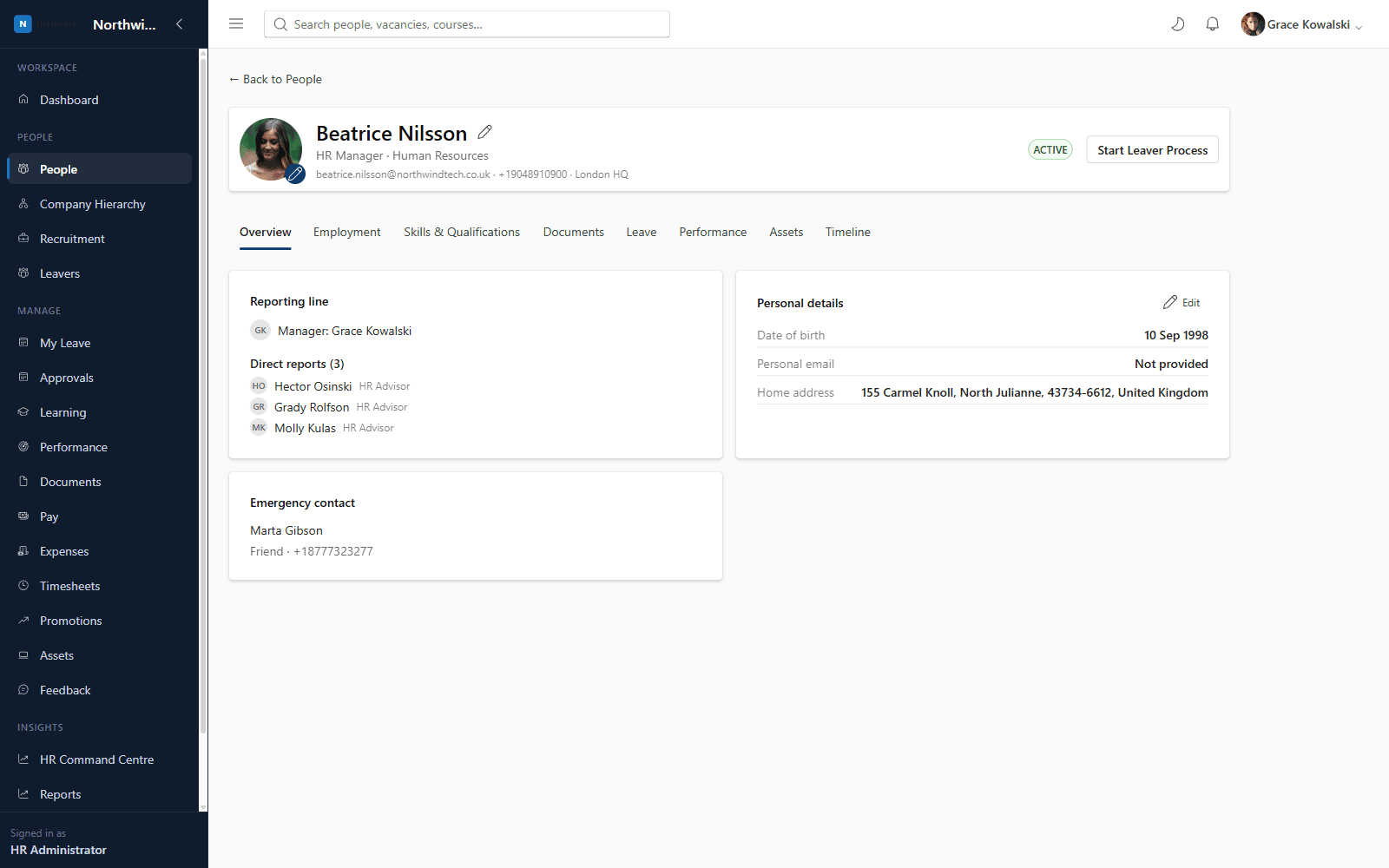
Axel Henry gives every employee a single, structured profile covering personal details, employment history, job title, department, location, emergency contacts and right-to-work status — with tabs for employment, skills & qualifications, documents, leave and performance.
- Eliminates duplicate spreadsheets and out-of-date employee lists
- Full employment history in one place: job title, department, salary band and manager changes
- Configurable custom fields so you can capture what matters to your organisation
- Right-to-work and emergency contact details always available to HR
Employee Dashboard
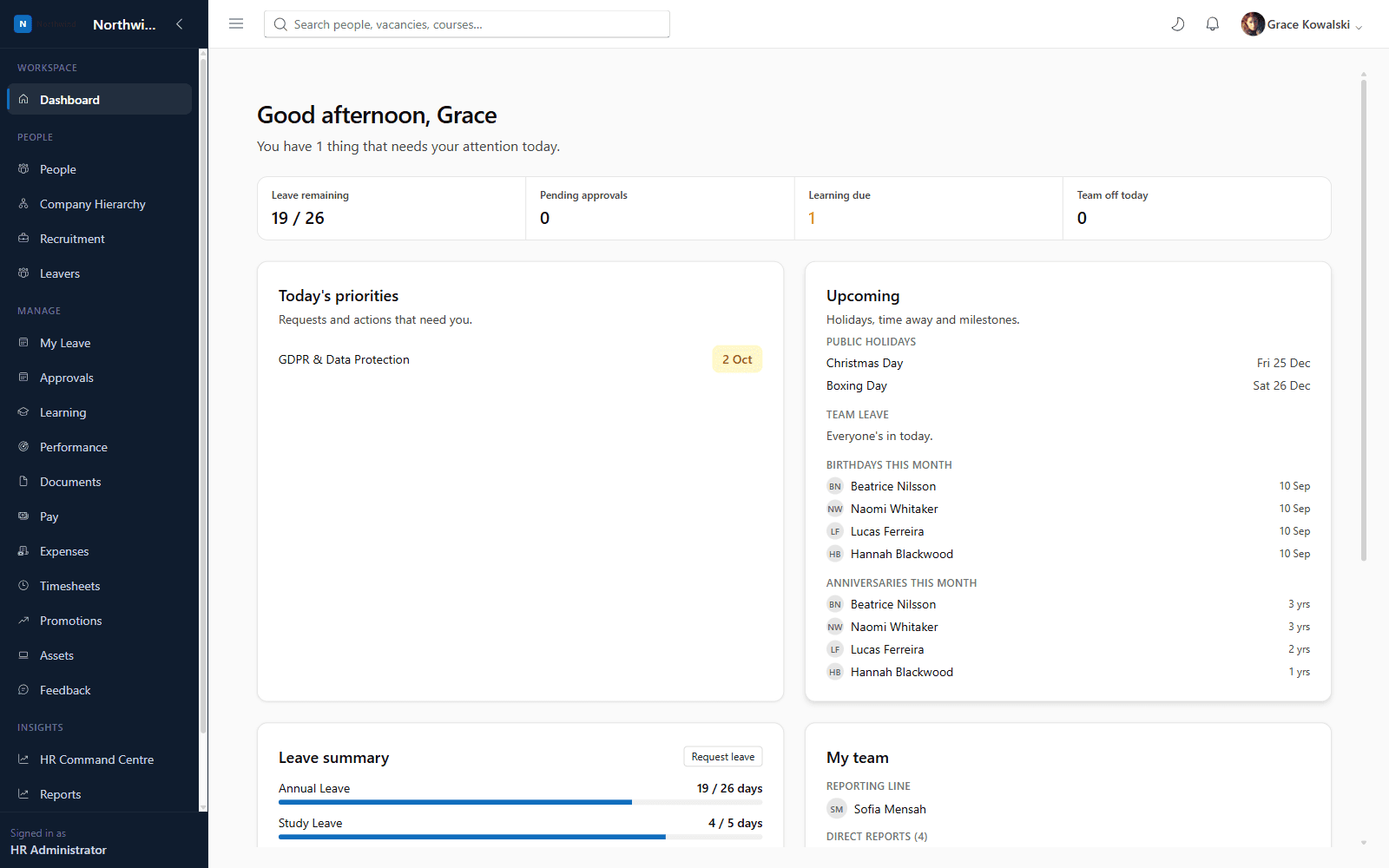
Every employee signs in to a personalised dashboard: leave remaining by type, upcoming public holidays, team members off today, birthdays and work anniversaries, learning due, performance reviews due, their reporting line, and company announcements.
- One home screen instead of hunting across multiple menus
- Managers instantly see who is off today and who reports to them
- Surfaces mandatory learning and overdue training automatically
Leave Management
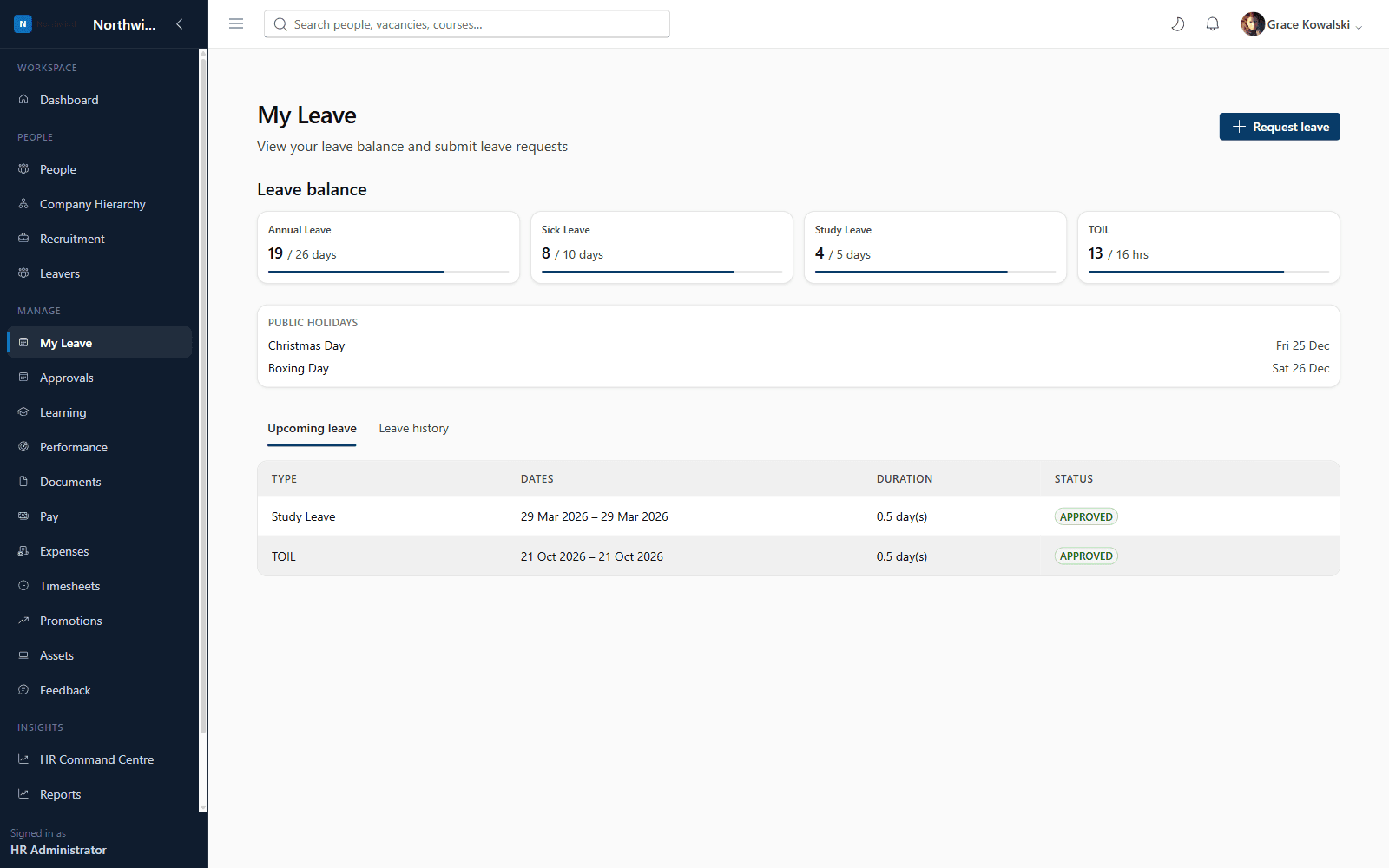
Define unlimited leave types (annual leave, sick leave, study leave, TOIL and more), each with its own accrual policy, then let employees book leave themselves and managers approve it — all tracked against a full request history.
- Fully configurable leave types, units (days or hours) and colours
- Manager approval workflow with company-wide or team-scoped visibility
- Book leave on behalf of a direct or indirect report
- Public holiday calendar per office location
Company Hierarchy
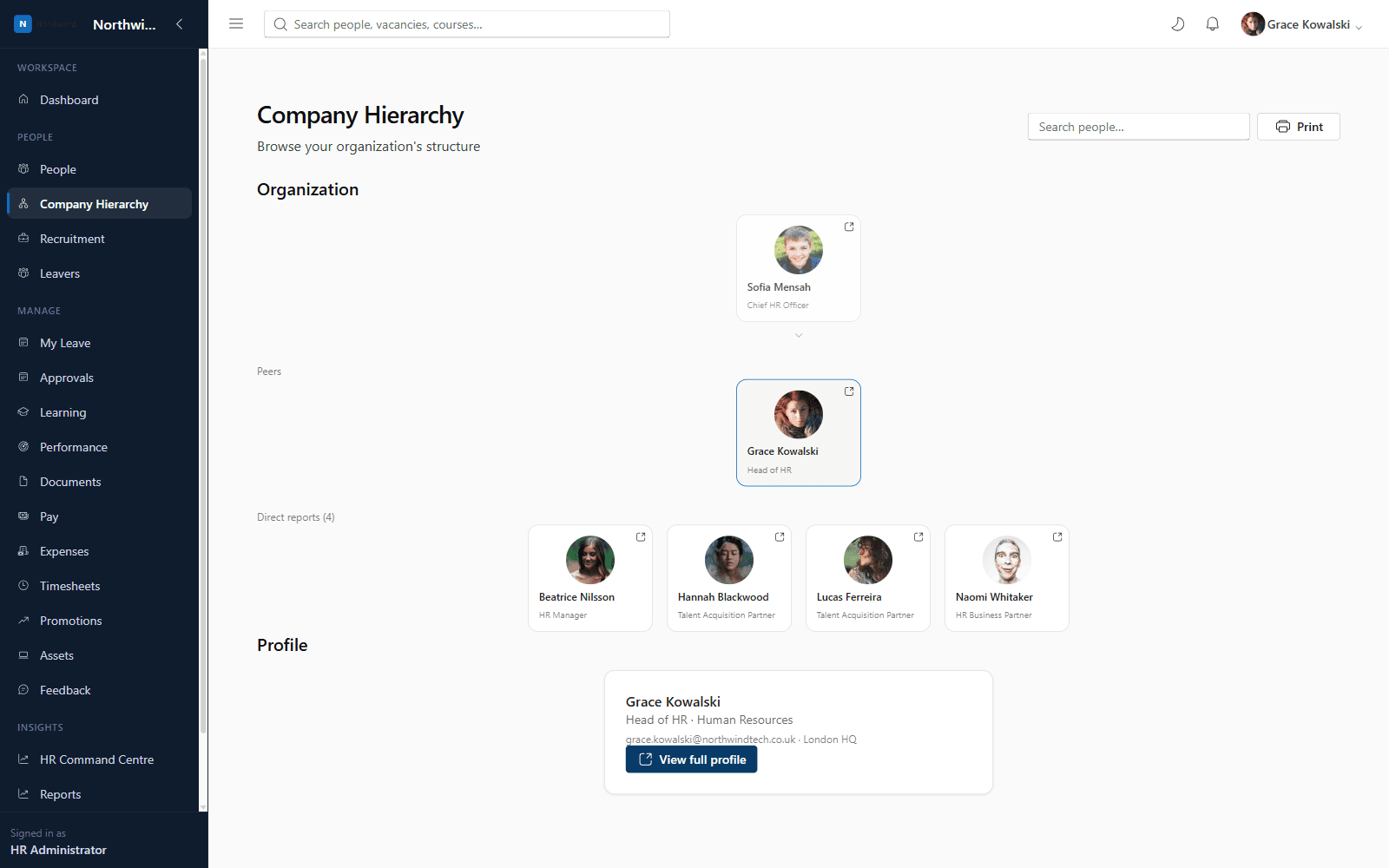
An interactive organisation chart generated directly from real manager relationships — browse peers, direct reports and reporting lines, search for any employee, and print the chart for board packs or team meetings.
- Always accurate — driven by live employee data, not a static chart someone forgot to update
- Search for anyone in the company and jump straight to their position
- Print-friendly view for offline use
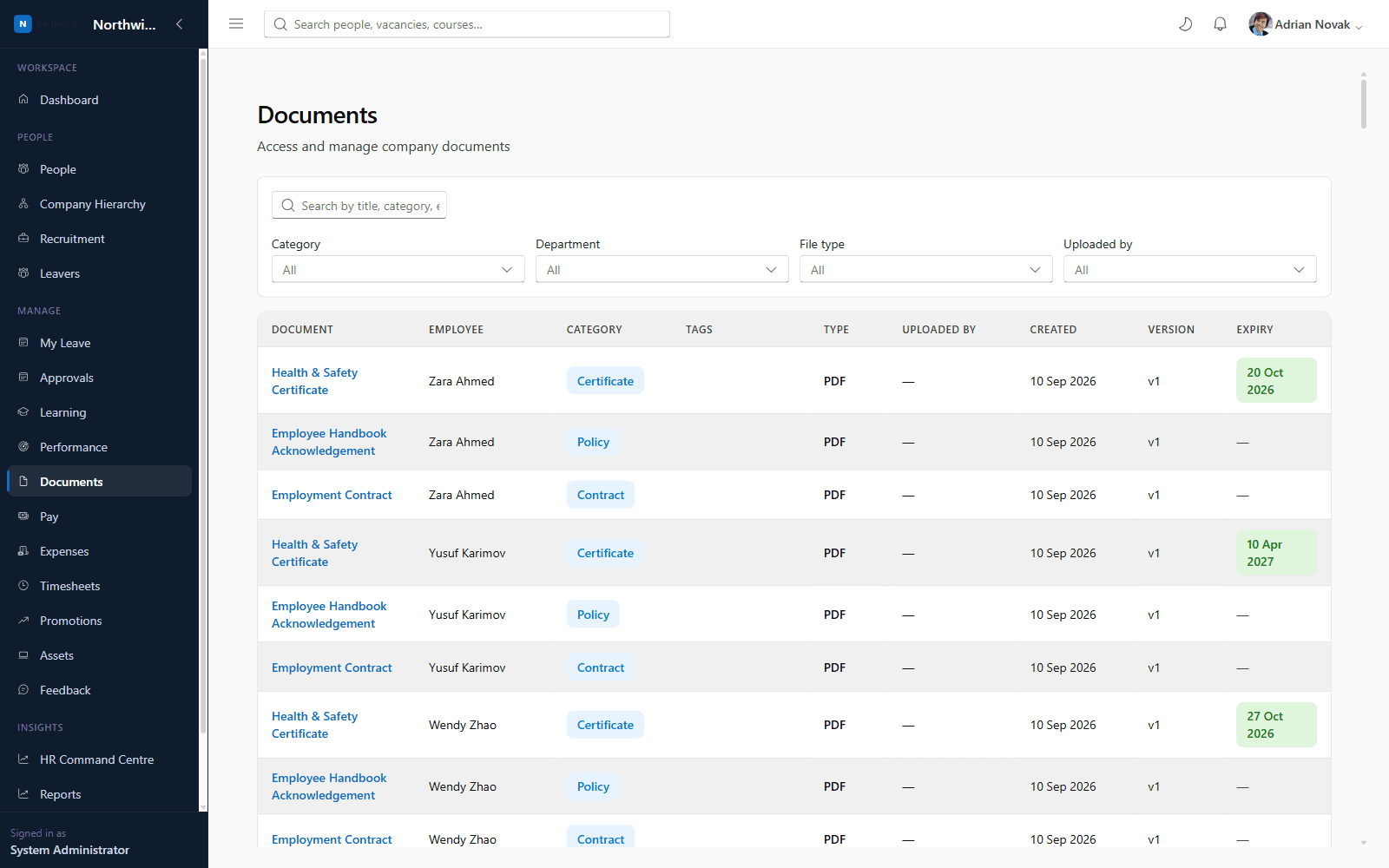
Document Management
Store contracts, policies, certificates and ID documents securely against each employee, with version tracking and expiry dates. A global search bar lets HR find any document instantly by title, category, employee, department, tags, file type or uploader.
- Global, instant search across every stored document
- Expiry tracking for certificates and right-to-work documents
- Version history so you always know which is the latest copy
- Visibility scoped by permission: own, team, or company-wide
Standard Reporting
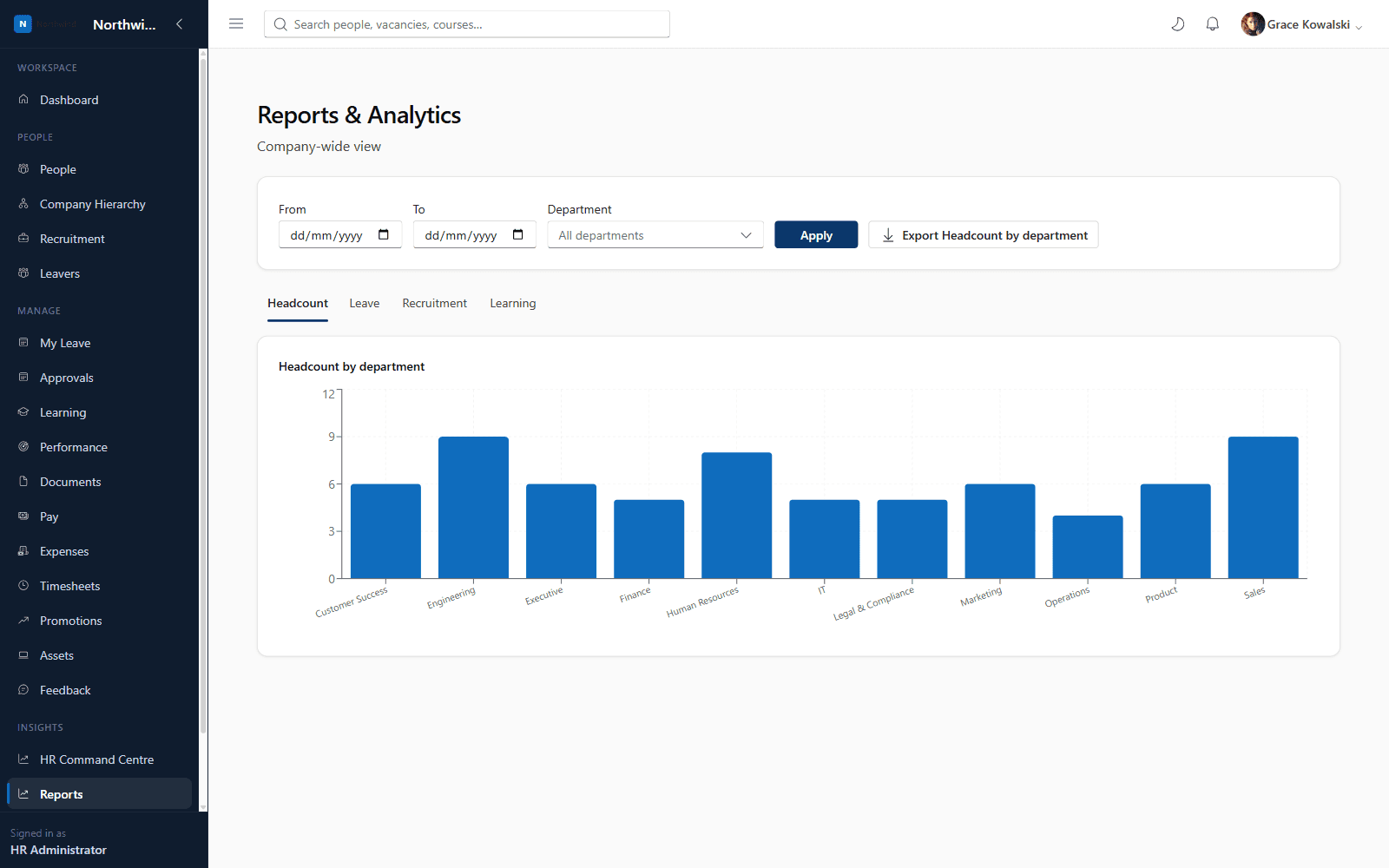
Every tenant gets a Reports dashboard out of the box: headcount by department, leave days taken by type, recruitment pipeline by stage, and learning compliance — scoped to team or company-wide depending on the viewer's permissions.
- No setup required — works from day one
- Automatically scoped to what each role is allowed to see
- Visual, chart-based dashboards rather than raw spreadsheets
Security & Permissions
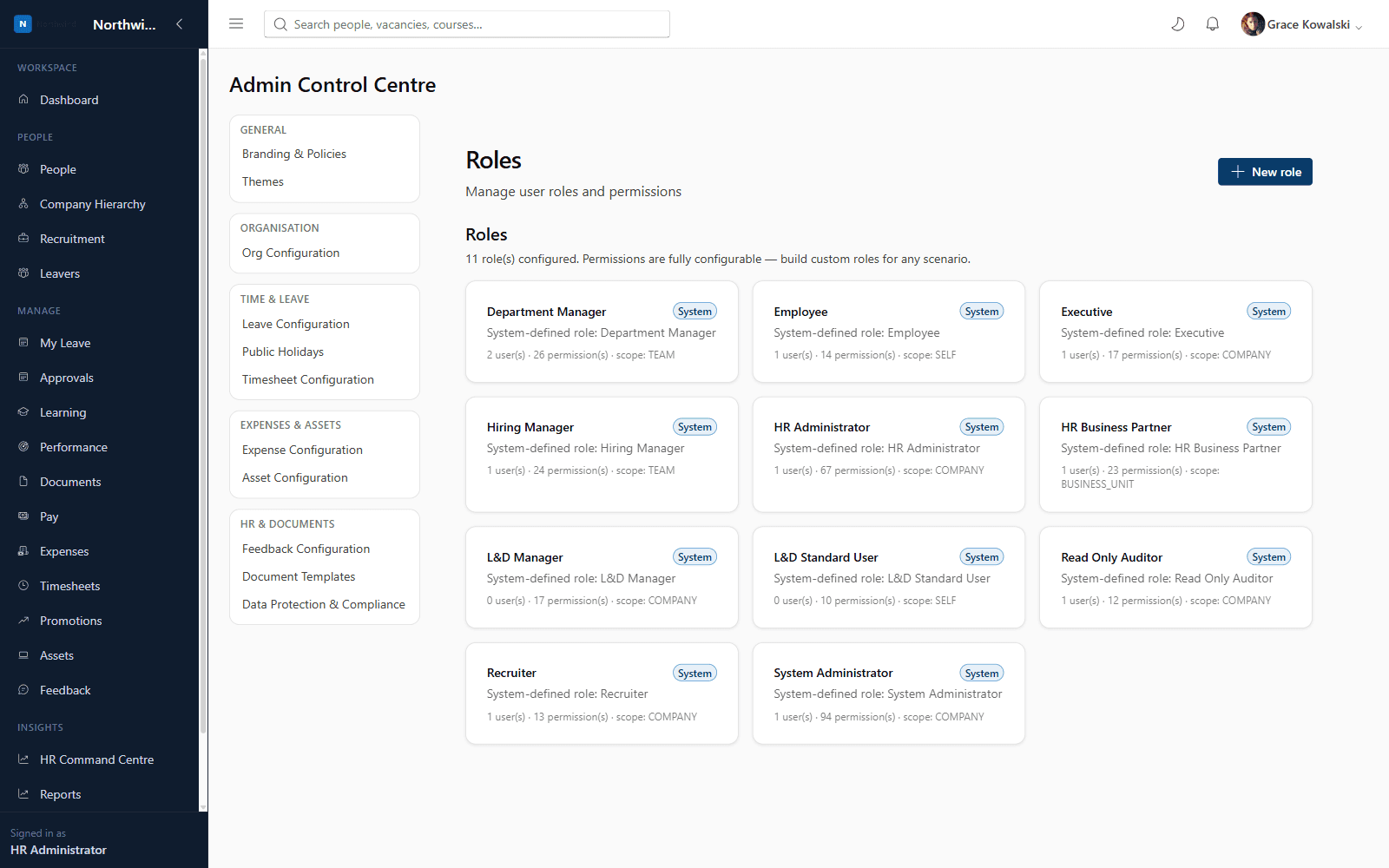
Axel Henry ships with a granular, database-backed permission catalogue spanning every module. Administrators can build entirely custom roles — from a self-only Employee role to a company-wide System Administrator — by combining permissions with a visibility scope (self, team, business unit or company).
- Nine system-defined roles out of the box, fully editable
- Unlimited custom roles combining any permission set
- Four-tier visibility scoping (self / team / business unit / company) applied consistently across every module
- Every permission change and sensitive action recorded in the audit log
Organisation Management
Set up departments, job titles, office locations, employment types, cost centres and business units — the foundational lookups that every other module (employees, recruitment, learning, reporting) builds on.
- Single place to manage organisational structure
- Changes reflected instantly across employee records, hierarchy and reporting
Administration Centre
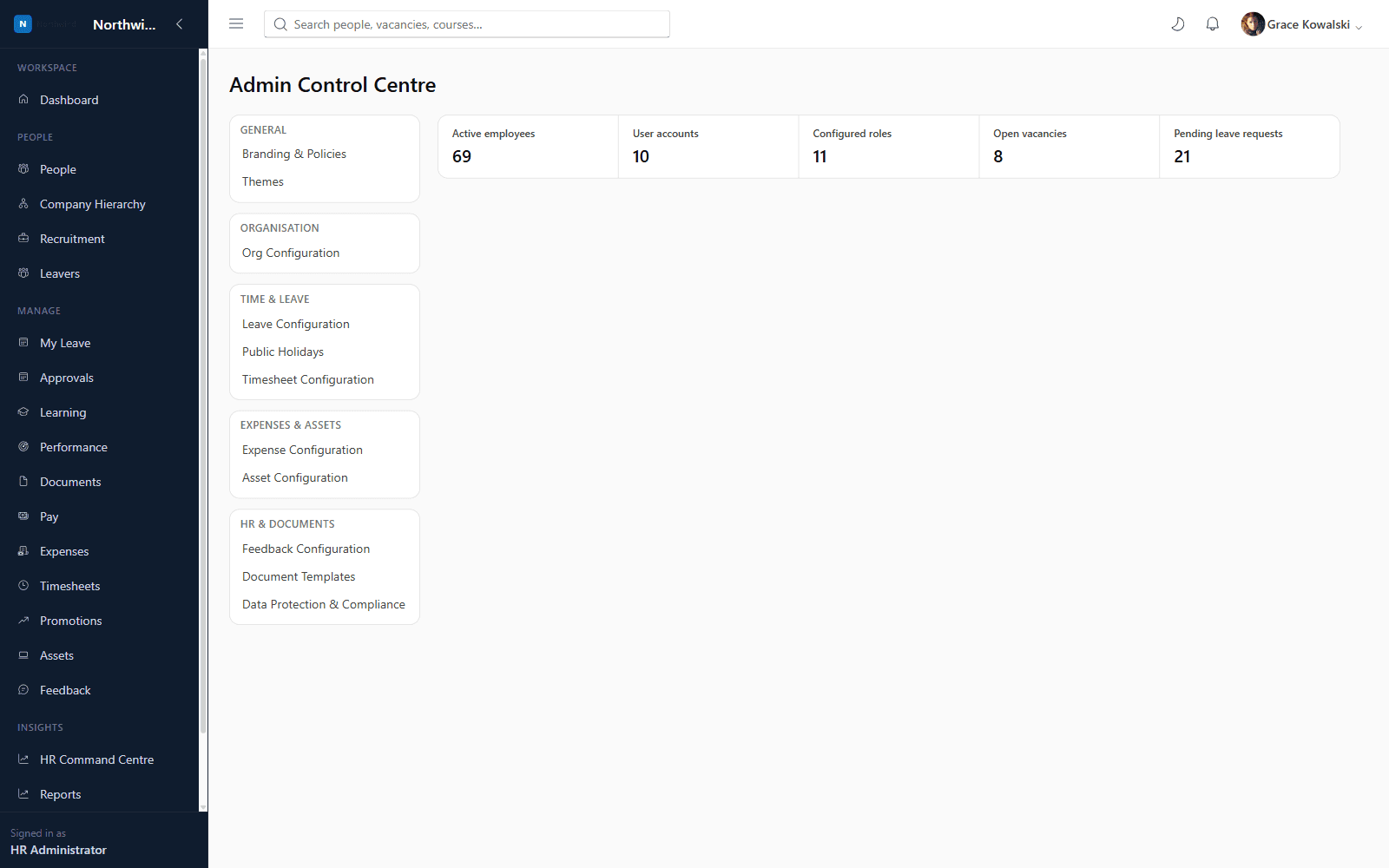
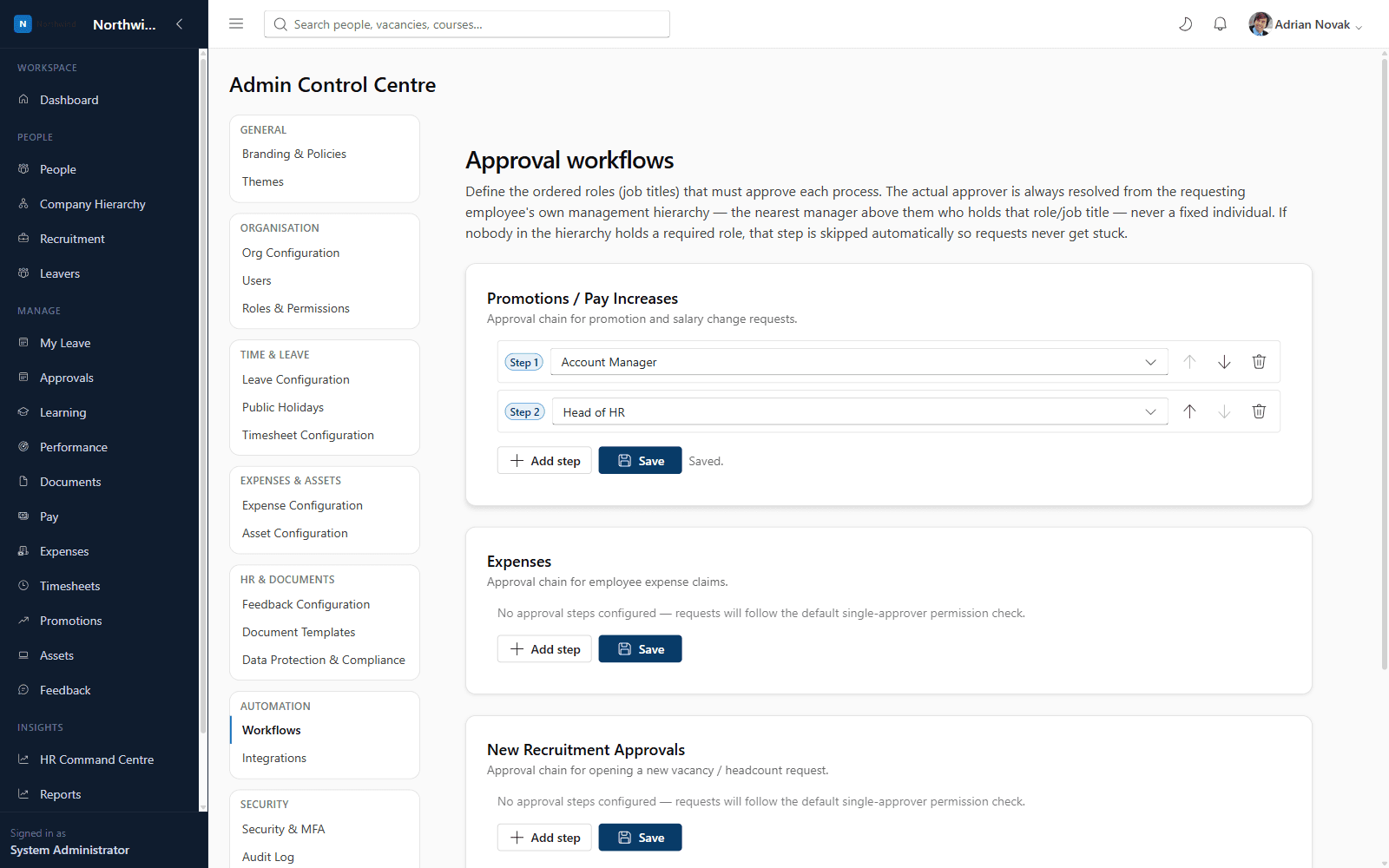
A single Admin Control Centre brings together branding & policies, themes, org configuration, leave configuration, expense configuration, approval workflows, integrations, roles & permissions, user management and the audit log.
- Every configuration surface in one consistent place
- No code or vendor tickets required to change policy, branding or workflow configuration
Company Branding
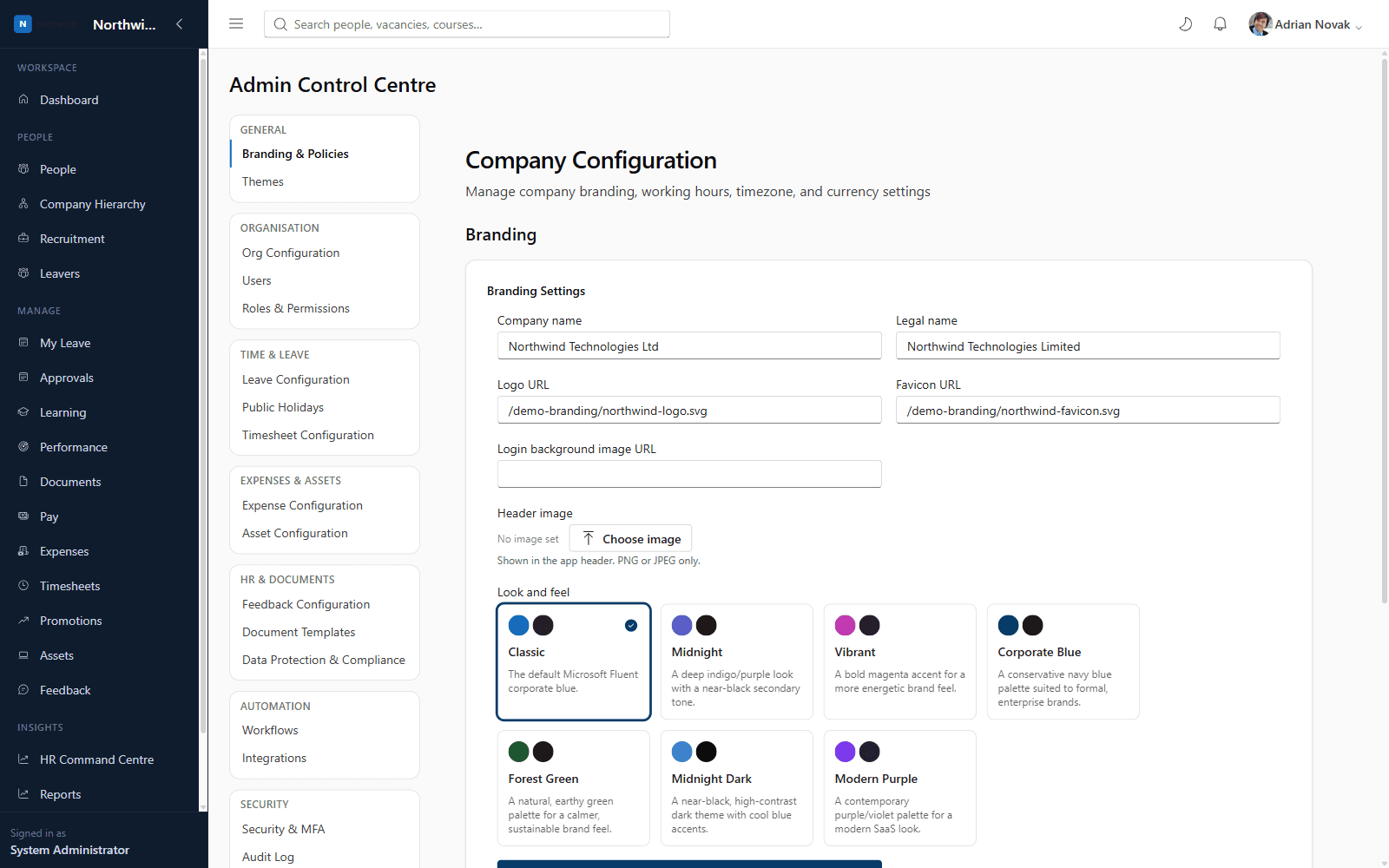
Upload your logo, favicon and header image, choose a login background, and pick a built-in look-and-feel preset — every employee sees your brand, not Axel Henry's, from the moment they sign in.
- Logo, favicon and header image upload
- Login page background image
- One-click look-and-feel presets
Theme Management
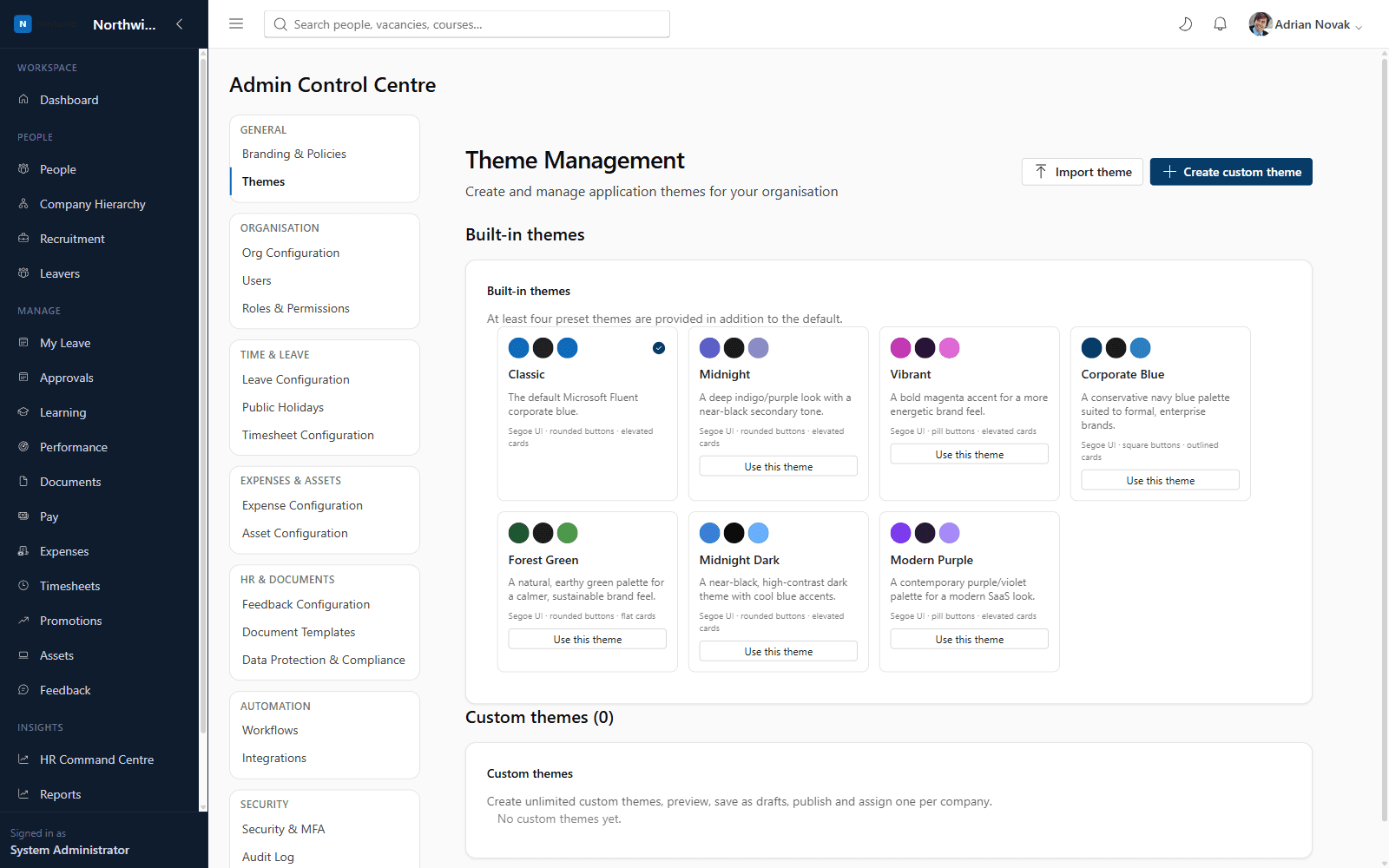
Seven built-in themes ship out of the box (Classic, Midnight, Vibrant, Corporate Blue, Forest Green, Midnight Dark, Modern Purple), and administrators can create unlimited custom themes — controlling colour palette, typography, border radius, button and card styles, logo, and login/dashboard backgrounds — with draft, publish, export, import and duplicate support.
- Seven professionally designed built-in presets
- Unlimited custom themes with full visual control
- Draft → publish workflow so changes can be reviewed before going live
- Export/import themes as JSON to move between tenants
See it running on your own organisation structure
Book a live walkthrough with our team, or start a free trial and explore Core HR today.