All modules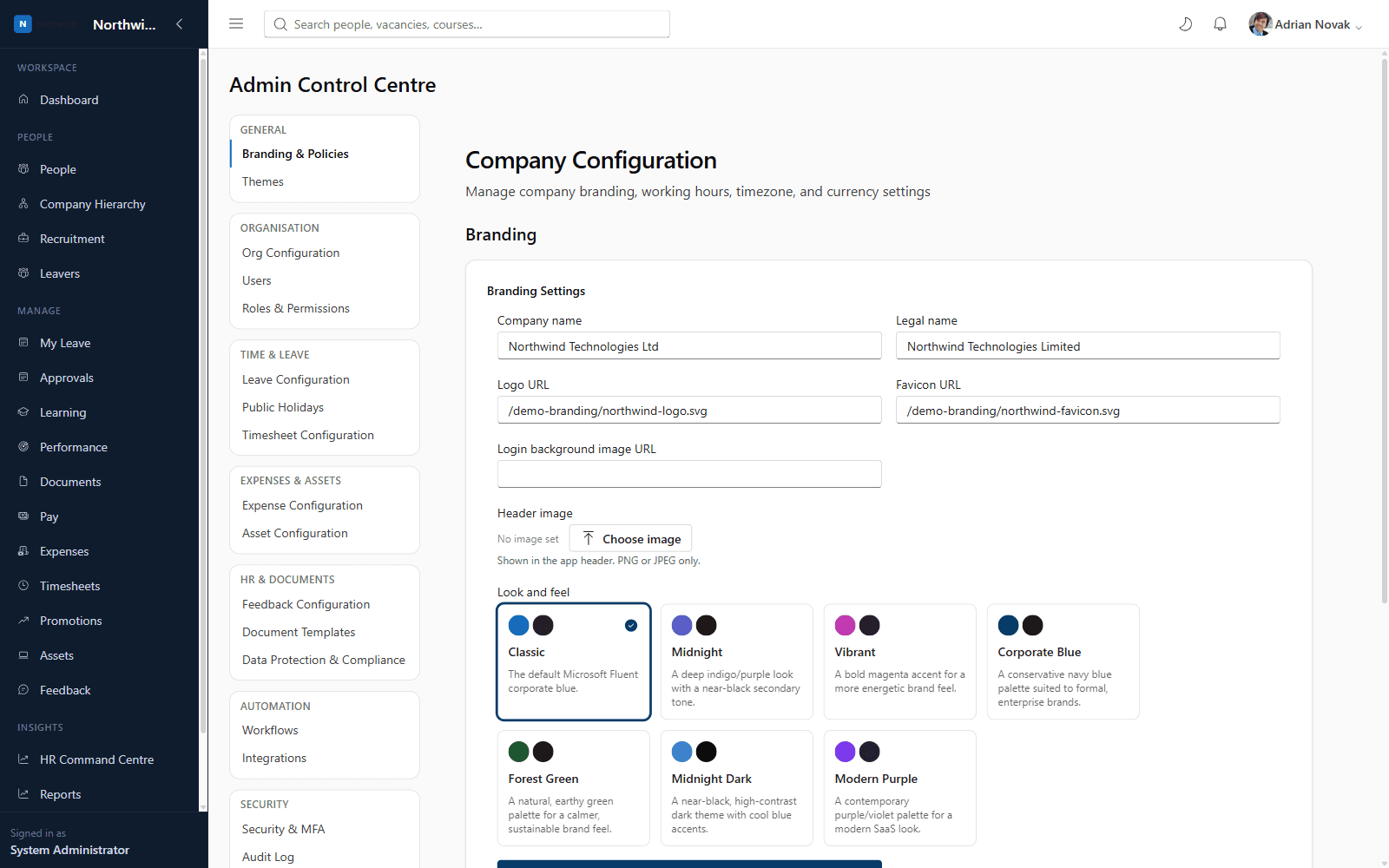
Core HRCore HR
Company Branding
Make it feel like your own platform, not ours
Upload your logo, favicon and header image, choose a login background, and pick a built-in look-and-feel preset — every employee sees your brand, not Axel Henry's, from the moment they sign in.
Company Branding
What you'll see inside
Company Branding
- 1
Highlight 1
Logo, favicon and header image upload
- 2
Highlight 2
Login page background image
- 3
Highlight 3
One-click look-and-feel presets
Why it matters
Benefits
- Logo, favicon and header image upload
- Login page background image
- One-click look-and-feel presets
Business value
- Increases employee adoption by making the platform feel native to your company
- Removes the perception of a generic, unbranded HR tool
Full rebrand takes minutes, not a developer engagement.
Who it's for
- System Administrators
- Marketing/Brand teams
Use cases
- Applying your corporate brand colours before rolling out to employees
- Updating the logo after a rebrand
Roles & permissions
- System Administrator
- company.branding.manage
Configuration options
- Logo, favicon, header image
- Login background
- Look-and-feel preset
See it running on your own organisation structure
Book a live walkthrough with our team, or start a free trial and explore Core HR today.