Document Management
Secure, searchable documents against every employee record
Store contracts, policies, certificates and ID documents securely against each employee, with version tracking and expiry dates. A global search bar lets HR find any document instantly by title, category, employee, department, tags, file type or uploader.
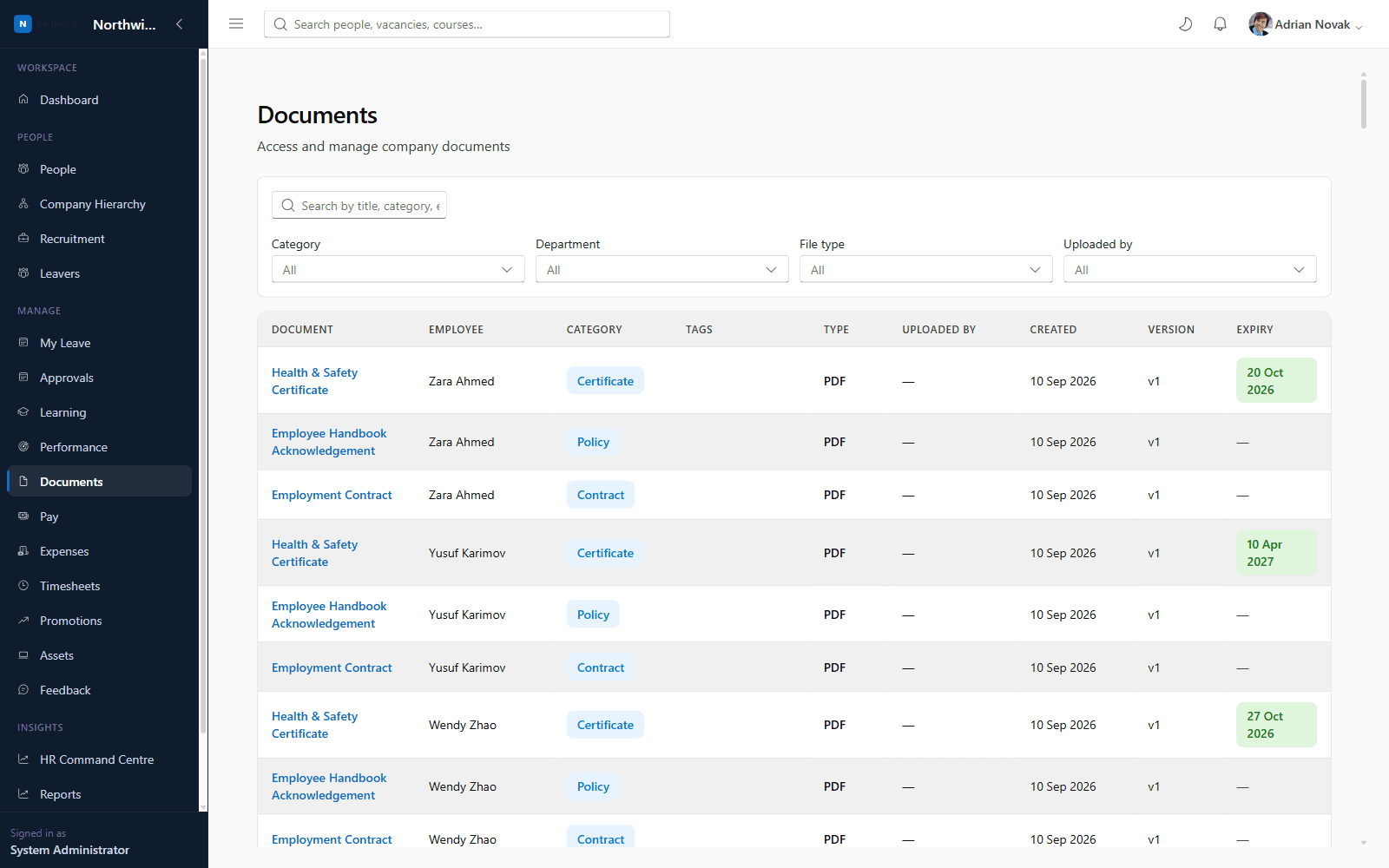
What you'll see inside
- 1
Highlight 1
Global, instant search across every stored document
- 2
Highlight 2
Expiry tracking for certificates and right-to-work documents
- 3
Highlight 3
Version history so you always know which is the latest copy
- 4
Highlight 4
Visibility scoped by permission: own, team, or company-wide
Why it matters
Benefits
- Global, instant search across every stored document
- Expiry tracking for certificates and right-to-work documents
- Version history so you always know which is the latest copy
- Visibility scoped by permission: own, team, or company-wide
Business value
- Reduces compliance risk from expired certifications going unnoticed
- Removes reliance on shared drives with inconsistent naming
Document lookups that used to involve searching shared drives now take seconds.
Who it's for
- HR Administrators
- Line Managers
- Employees (their own documents)
Use cases
- HR searching for every employee's signed handbook acknowledgement
- A manager checking whether a certificate is about to expire
Roles & permissions
- HR Administrator
- Department Manager
- Employee
- documents.view.own
- documents.view.team
- documents.manage
Dashboards
- Document expiry badges
Workflows
- Upload → version → expiry tracking
Configuration options
- Document categories
- Tags & keywords
- Saved searches
Reports
- Documents expiring soon
- Documents by category
Frequently asked questions
See it running on your own organisation structure
Book a live walkthrough with our team, or start a free trial and explore Core HR today.