Employee Feedback
Give every employee a voice, with a clear path to action
A configurable feedback channel for suggestions, recognition, wellbeing concerns and workplace issues — submitted anonymously or by name, triaged by HR with ownership, internal notes and status tracking through to resolution.
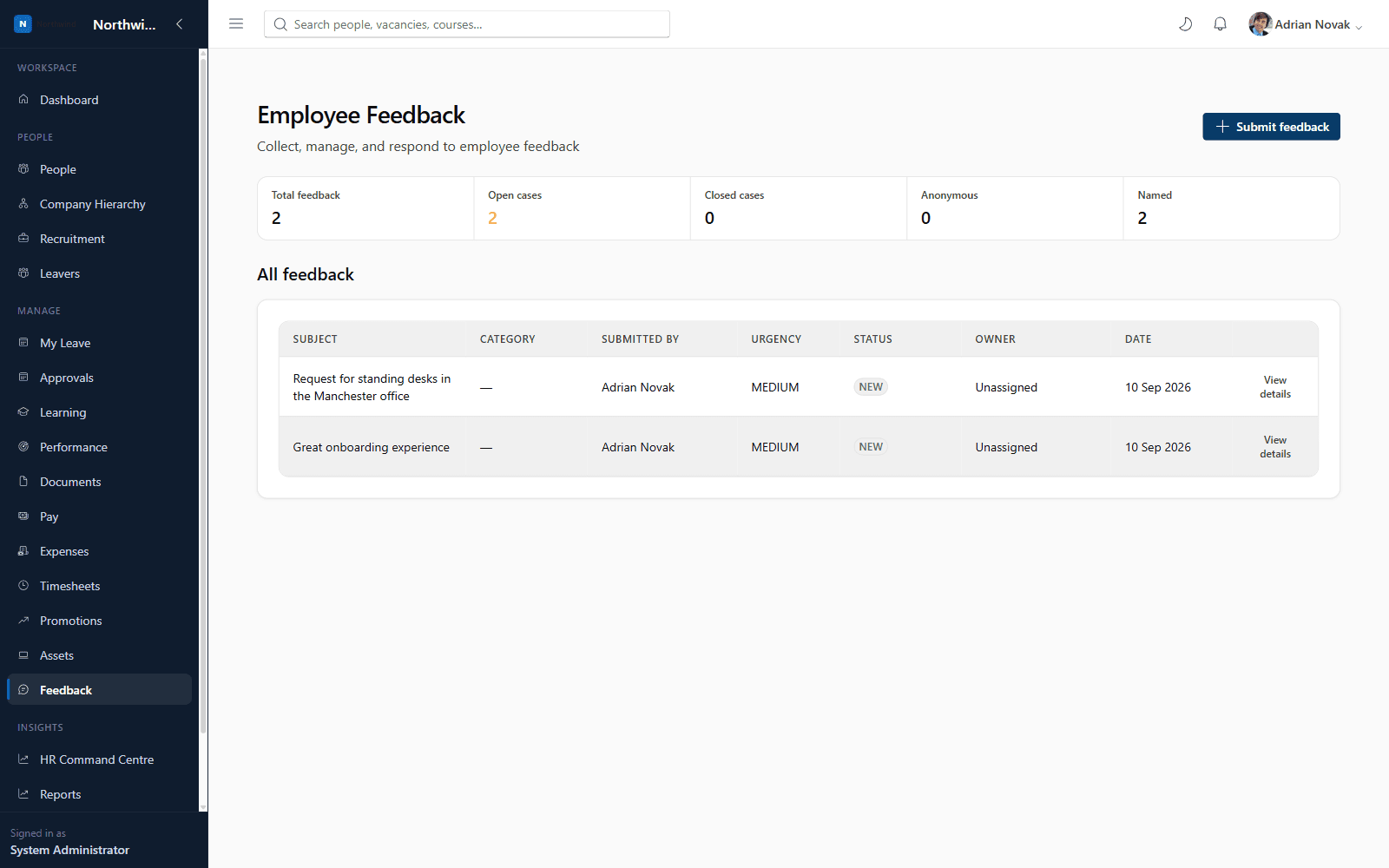
What you'll see inside
- 1
Highlight 1
Configurable feedback categories, each with anonymous submission allowed or restricted
- 2
Highlight 2
Employees can tag, prioritise and attach files to any submission
- 3
Highlight 3
HR can assign an owner, add internal notes, respond to the employee and track status to closure
- 4
Highlight 4
A live dashboard of feedback volume, open/closed cases and anonymous vs. named split
Why it matters
Benefits
- Configurable feedback categories, each with anonymous submission allowed or restricted
- Employees can tag, prioritise and attach files to any submission
- HR can assign an owner, add internal notes, respond to the employee and track status to closure
- A live dashboard of feedback volume, open/closed cases and anonymous vs. named split
Business value
- Surfaces workplace issues and ideas that might otherwise go unreported
- Gives HR a fully auditable trail from submission to resolution
Replaces ad-hoc email/Slack feedback with a structured, trackable channel HR can actually report on.
Who it's for
- All employees
- HR Administrators
Use cases
- An employee raising a wellbeing concern anonymously
- HR triaging incoming suggestions and assigning an owner
- Leadership reviewing feedback volume and category trends company-wide
Roles & permissions
- Employee
- HR Administrator
- HR Business Partner
- feedback.submit.own
- feedback.manage
- feedback.reports.view
Dashboards
- Feedback volume
- Open vs closed cases
- Category breakdown
Workflows
- Submit
- Assign owner
- Add internal note
- Respond
- Close
Configuration options
- Unlimited custom feedback categories
- Per-category anonymous submission control
Reports
- Feedback trends
- Category breakdown
- Response performance
- Anonymous vs named
Frequently asked questions
See it running on your own organisation structure
Book a live walkthrough with our team, or start a free trial and explore Core HR today.