All modules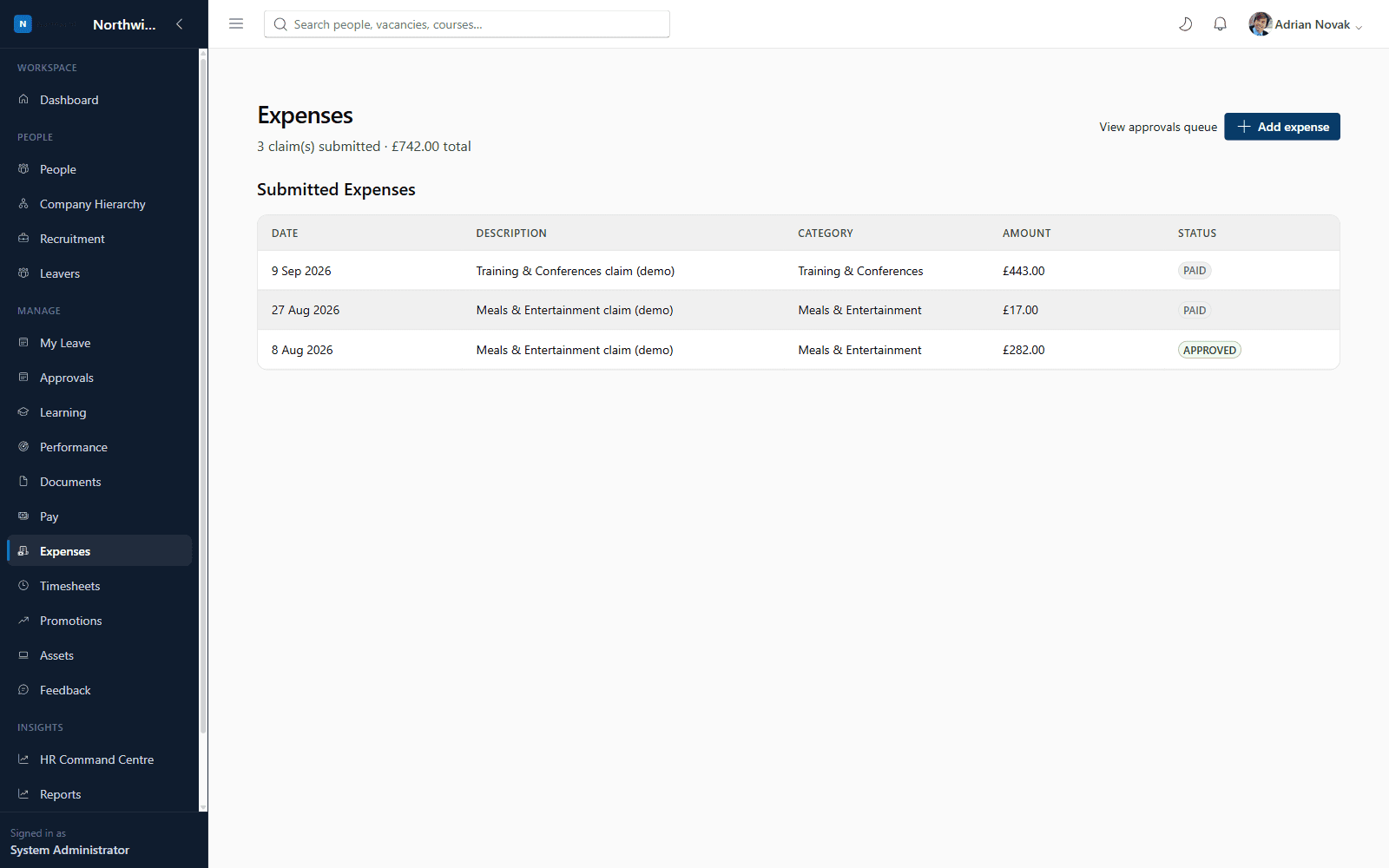
Add-on moduleOperations
Expenses
Submit, approve and track expense claims with ease
Employees submit expense claims against configurable categories, managers approve or reject them via a dedicated approvals queue, and every claim is tracked with a full status history.
£1.00 / employee / month
Expenses
What you'll see inside
Expenses
- 1
Highlight 1
Configurable expense categories and approval policy
- 2
Highlight 2
Dedicated approvals queue for managers
- 3
Highlight 3
Full claim history and status tracking
Why it matters
Benefits
- Configurable expense categories and approval policy
- Dedicated approvals queue for managers
- Full claim history and status tracking
Business value
- Reduces finance admin time reconciling paper/email-based claims
- Improves visibility of outstanding claims and spend by category
Cuts expense processing time from days to minutes.
Who it's for
- Every employee
- Department Managers
- Finance
Use cases
- An employee submitting a meals & entertainment claim after a client visit
- A manager approving their team's outstanding claims in one sitting
Roles & permissions
- Employee
- Department Manager
- Finance
- expenses.submit.own
- expenses.approve.team
- expenses.approve.all
- expenses.config.manage
Dashboards
- My expenses
- Approvals queue
Workflows
- Submit → manager approval → (optional finance approval)
Configuration options
- Expense categories
- Approval workflow
Reports
- Expense claims by category/status
See it running on your own organisation structure
Book a live walkthrough with our team, or start a free trial and explore Core HR today.