All modules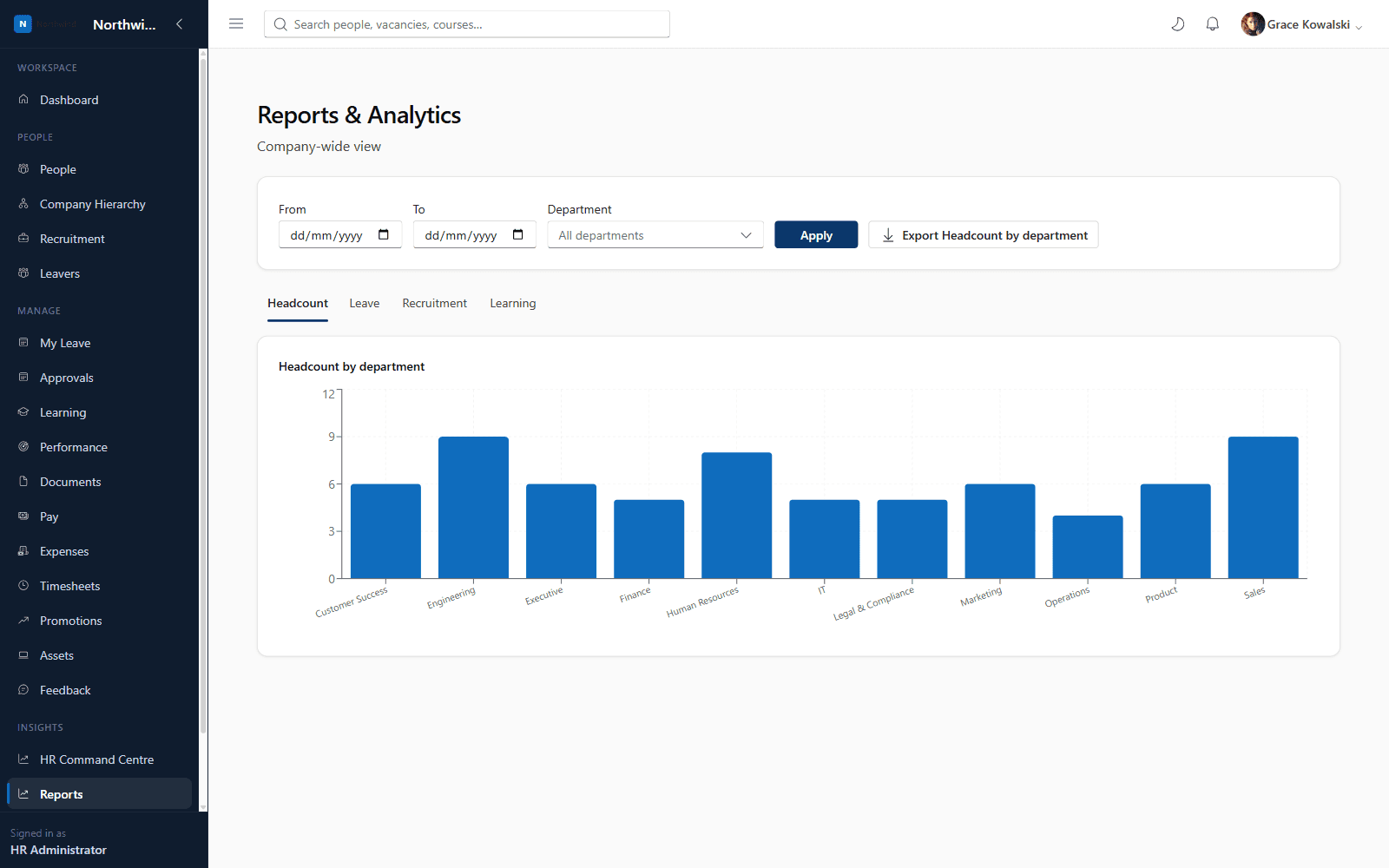
Core HRCore HR
Standard Reporting
Out-of-the-box visibility across every core HR process
Every tenant gets a Reports dashboard out of the box: headcount by department, leave days taken by type, recruitment pipeline by stage, and learning compliance — scoped to team or company-wide depending on the viewer's permissions.
Standard Reporting
What you'll see inside
Standard Reporting
- 1
Highlight 1
No setup required — works from day one
- 2
Highlight 2
Automatically scoped to what each role is allowed to see
- 3
Highlight 3
Visual, chart-based dashboards rather than raw spreadsheets
Why it matters
Benefits
- No setup required — works from day one
- Automatically scoped to what each role is allowed to see
- Visual, chart-based dashboards rather than raw spreadsheets
Business value
- Removes the need for manual reporting spreadsheets for standard metrics
- Gives leadership real-time visibility without waiting on HR
Replaces manually-built monthly HR reporting decks with always-current dashboards.
Who it's for
- HR Administrators
- HR Business Partners
- Executives
- Department Managers
Use cases
- An executive reviewing headcount trends by department
- HR reviewing the recruitment pipeline at a glance
Roles & permissions
- HR Administrator
- HR Business Partner
- Executive
- Department Manager
- reporting.view.team
- reporting.view.company
- reporting.export
Dashboards
- Company Reports dashboard
Configuration options
- Company-wide vs team scoping via role permissions
Reports
- Headcount by department
- Leave days taken by type
- Recruitment pipeline by stage
- Learning compliance
Frequently asked questions
Yes — Standard Reporting is included in Core HR with the four dashboards above. Advanced Reporting is an optional add-on unlocking custom report building, scheduling and deeper drill-down across every module.
See it running on your own organisation structure
Book a live walkthrough with our team, or start a free trial and explore Core HR today.