Theme Management
Unlimited custom themes, built and published in minutes
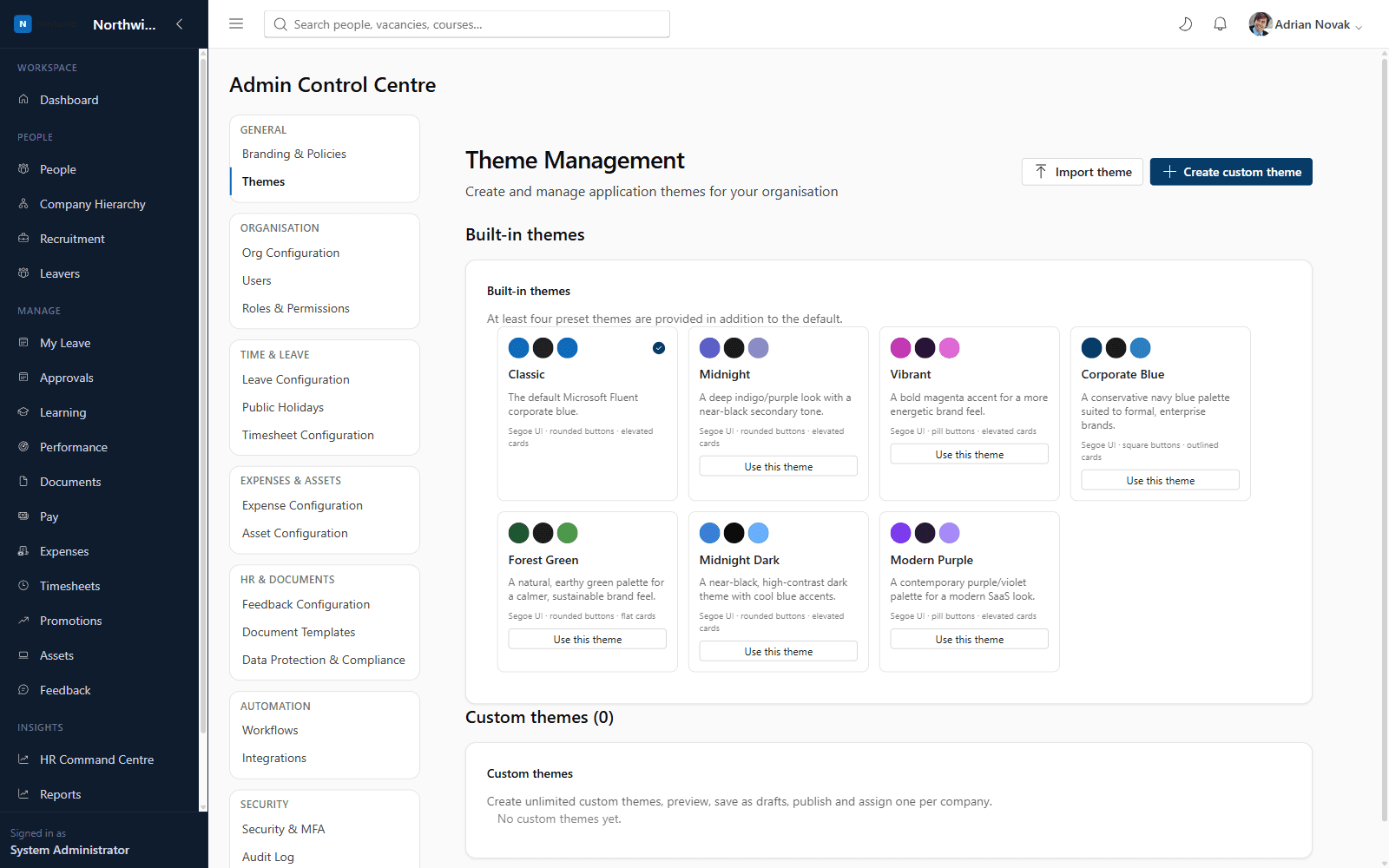
Seven built-in themes ship out of the box (Classic, Midnight, Vibrant, Corporate Blue, Forest Green, Midnight Dark, Modern Purple), and administrators can create unlimited custom themes — controlling colour palette, typography, border radius, button and card styles, logo, and login/dashboard backgrounds — with draft, publish, export, import and duplicate support.
What you'll see inside
- 1
Highlight 1
Seven professionally designed built-in presets
- 2
Highlight 2
Unlimited custom themes with full visual control
- 3
Highlight 3
Draft → publish workflow so changes can be reviewed before going live
- 4
Highlight 4
Export/import themes as JSON to move between tenants
Why it matters
Benefits
- Seven professionally designed built-in presets
- Unlimited custom themes with full visual control
- Draft → publish workflow so changes can be reviewed before going live
- Export/import themes as JSON to move between tenants
Business value
- Supports multi-brand groups without needing separate platforms
- Keeps the visual brand consistent and on-message
New on-brand themes can be designed and published in under 10 minutes.
Who it's for
- System Administrators
- Brand teams
- Multi-brand organisations
Use cases
- A holding company giving each subsidiary brand its own custom theme
- Previewing a seasonal theme before publishing it company-wide
Roles & permissions
- System Administrator
- company.branding.manage
Dashboards
- Theme gallery with live preview
Workflows
- Create → preview → save as draft → publish → assign
Configuration options
- Primary/secondary/accent/background/sidebar/navigation colour
- Font family & size, border radius
- Button & card style
- Logo, login background, dashboard background
Frequently asked questions
See it running on your own organisation structure
Book a live walkthrough with our team, or start a free trial and explore Core HR today.